Identity record shared → Selfie captured → Face match → Agreement or booking → Deposit paid → Access granted
Money and physical access follow the selfie.
Property and access / NeuroVerify
Rental platforms, short-stay hosts, building managers and access-control teams use a selfie to bind a verified record to the person who will live in, enter or pay for a property. NeuroVerify checks that media for deepfakes and manipulation beyond liveness and returns one unified risk score.
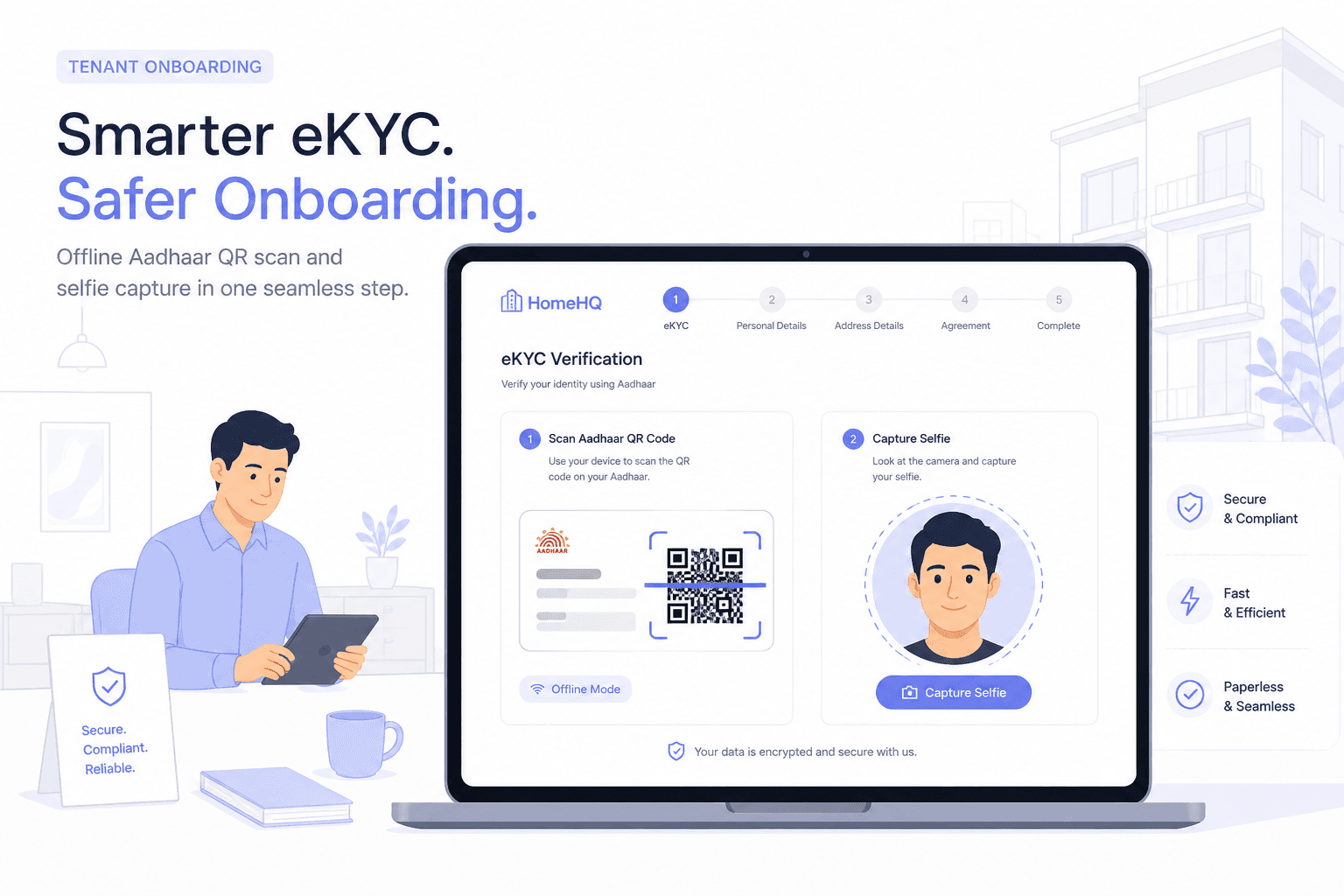
It runs behind the selfie or face capture you already use: no new step for the tenant or visitor, one API call.
NeuroVerify does not verify identity documents, check ownership or tenancy records, or grant access; it adds authenticity evidence for your own policy.
The gap
Property and access platforms often build around document authenticity: an identity credential, a tax or registry record, a tenancy agreement. Those confirm data. The step that is meant to prove a live person is present is the selfie, and it carries the binding between a record and whoever is asking for a lease, a deposit, a booking or a pass.
Identity record shared → Selfie captured → Face match → Agreement or booking → Deposit paid → Access granted
Money and physical access follow the selfie.
Fraud here has two parts. One is money: deposits, rent and booking fees. The other is physical: a person gets into a home, an office or a managed building under another person's name. Landlords, hosts and building managers rely on identity to make decisions about trust and safety.
The usual checks do not test whether the face is authentic. A face match confirms resemblance. Liveness confirms a presentation check was satisfied. Neither answers whether the face was generated, swapped or injected.
Remote property transactions are also a target for impersonation on the other side. A fake landlord or agent can use synthetic media to collect deposits for a property they do not control.
Threats
These are techniques, not claims about any platform. Each takes advantage of a remote identity step.
The attacker holds a real credential and uses a swapped or synthetic face to pass the selfie, so references and checks run on someone else's identity.
A synthetic face or video call is used to appear as an owner or broker and collect deposits for a property they do not hold.
A guest registers with one person's verified identity and a different person arrives, or a prepared face is used at check-in.
A pre-recorded or injected image is used at a visitor or gate app to obtain access.
A cleaner, contractor or delivery person is onboarded once with a substituted face, then holds long-term access.
A verified account is sold or shared, and the later user is a different person from the one who passed the selfie.
Physical access raises the stakes: the check at onboarding often has to be right the first time.
Where NeuroVerify fits
NeuroVerify sits behind the selfie or face capture in your onboarding and access flow. You send the media you already collect. It returns one unified risk score with evidence from six signals, and your policy decides whether to onboard, step up or hold.
Use it at tenant onboarding, host and landlord verification, guest check-in and recurring-access enrolment. It checks the face and video evidence, not the documents.
Pass the image or video from your existing capture step to the API.
Get one score with signal-level evidence in a single response.
Step up for higher-value leases or sensitive access, review borderline cases, and approve clean ones.
Keep the output so disputes, incidents and audits can refer back to it.
What you get
Reduce impersonation of tenants, hosts and agents.
Add authenticity evidence before enrolling people who will enter a building.
Keep a record of what the capture looked like at the time.
Tenants and visitors complete the capture they already know.
One API for residential, commercial, short-stay and managed-building flows.
Questions
It sits behind the selfie or face-capture step you already run. You send the image, video or audio you already collect to one API call, and the response comes back with a unified risk score and signal-level evidence. The end user sees no new step.
Integration uses native mobile SDKs (Android/Kotlin, iOS/Swift, Flutter), backend SDKs (Python, TypeScript/Node.js, Go, Java) or the REST API. Two lines to integrate and live in under 24 hours are product claims; your own environment and review process set the real timeline.
Liveness asks whether a live person appears to be in front of the camera. It was designed around printed photos, screen replays and masks. It does not ask how the media was produced, so a face swap, a fully synthetic face or an injected stream can satisfy it.
NeuroVerify checks for deepfakes and manipulation beyond liveness. Keep your liveness vendor and add the authenticity evidence next to it. See deepfake detection vs liveness detection.
One unified risk score, plus evidence from six signals: Visual Safety Screening, Live Presence Verification, Face Manipulation Detection, AI Generative Model Analysis, AI Pixel-Level Manipulation and AI Content Compliance.
Your policy decides what happens next: approve, step up, route to manual review or decline. NeuroVerify does not approve or reject the tenant, host or visitor.
Latency is under 200 ms p95 on eligible image requests under defined test conditions. The methodology is available on request, so you can compare it with your own traffic.
On the public VendorBench-100 benchmark, NeuroVerify ranked first of 36 systems, with a detection score (MCC) of 0.876 against 0.646 for the next-best vendor.
Deployment options are a managed cloud API, private cloud or customer VPC, a secure container, on-premises, and air-gapped. Pick the one that matches your data residency and security requirements.
The platform holds ISO/IEC 27001, ISO/IEC 27701, ISO/IEC 42001 and SOC 2 Type II certifications. For handling details, see product data handling and the trust centre.
Yes. Send a representative sample of tenant, host and visitor selfies from live and past onboarding cases and compare the scores with your own labels. Include genuine captures from low-end handsets and poor lighting so you can see how thresholds behave on real users, not just on attacks.
Contact the team to set up an evaluation. See also how to evaluate a detection API.
It can score face images or video you send at any step, including a gate or check-in. Whether to use it per entry or only at enrolment depends on your risk, latency needs and local rules on biometrics.
Evaluate NeuroVerify
Send NeuroVerify a sample of tenant, host or visitor captures and compare the scores with how your current checks performed.