Customer joins call → Prompts and questions answered → Face matched to document → Agent approves
Every step can work as designed while the face on screen is synthetic. No step asked whether the media is authentic.
Video KYC / NeuroVerify
Banks, fintechs and platforms run live video calls to onboard customers remotely. Attackers answer those calls with real-time face swaps and injected camera feeds. NeuroVerify checks the video your session already captures and returns one risk score with signal-level evidence.
It fits the selfie and liveness step you already run: no new step for the customer, and one API call from your backend or SDK.
NeuroVerify does not run the call, verify the customer's identity or make the approval decision; it adds authenticity evidence for your own policy to act on.
The gap
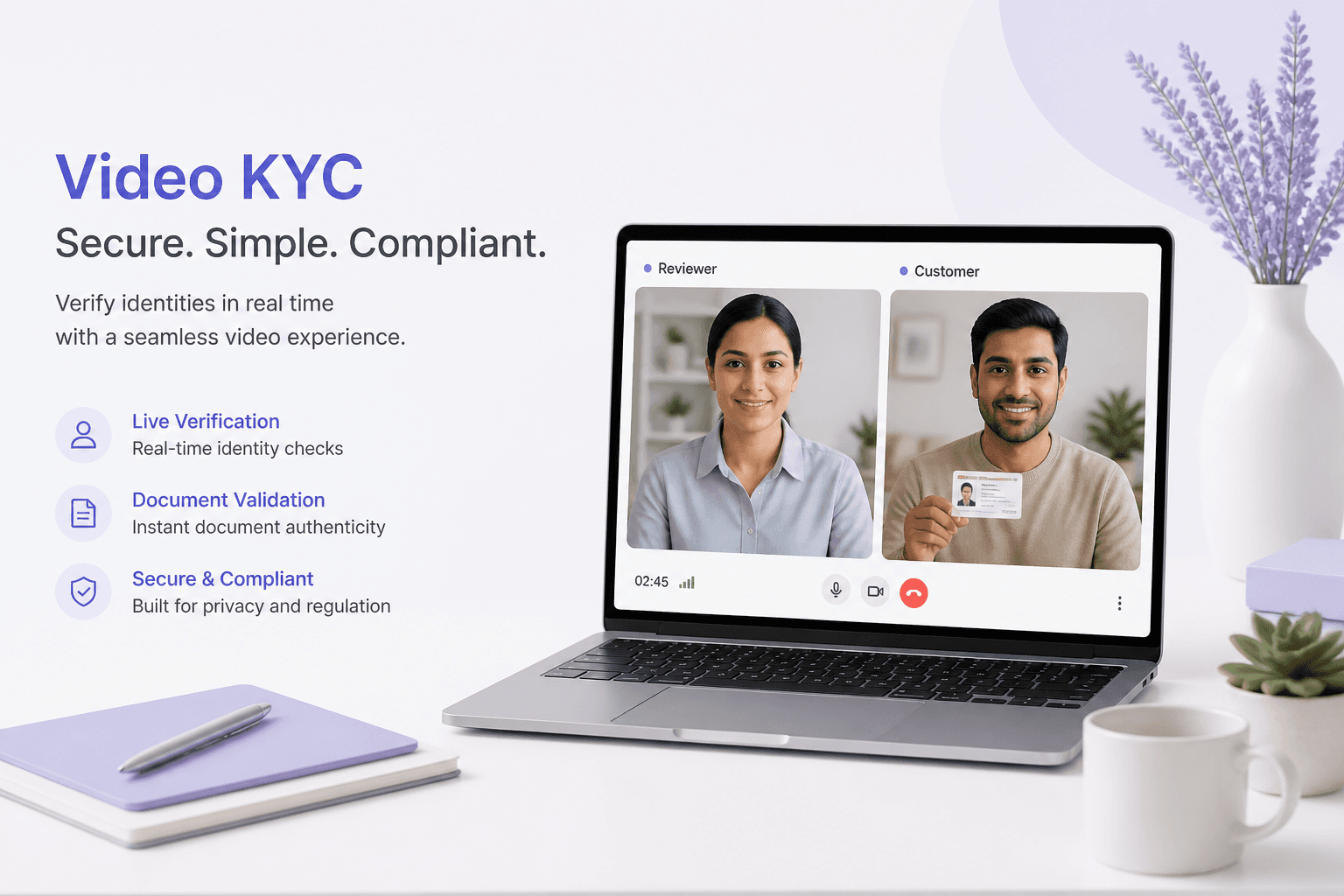
Video KYC was designed to give a remote session the weight of a face-to-face meeting. A customer joins a live call, an agent or automated flow asks questions, and the face is compared with an identity document. Regulated markets have adopted it widely for account opening, lending and re-verification.
The design assumes the video on screen came from a camera pointed at a real person. Modern tools break that assumption. Real-time face-swap software runs on consumer hardware, and virtual-camera drivers let an application receive a synthetic feed that never touched a lens.
Face match shows two images resemble each other. It does not say how either image was produced.
Liveness prompts such as a head turn or a blink are designed for physical spoofs like photos and masks. A real person driving a swapped face can perform every prompt.
Agent judgement depends on a person noticing artefacts in a compressed video stream, in real time, many times a day.
Session metadata records when and where a session happened. It says nothing about the frames inside it.
Customer joins call → Prompts and questions answered → Face matched to document → Agent approves
Every step can work as designed while the face on screen is synthetic. No step asked whether the media is authentic.
The result is a narrow gap with large consequences. See why liveness and deepfake detection differ for the technical background.
Threats
These are attack techniques, not claims about any specific institution. Each one delivers believable video to a session that is otherwise working normally.
The attacker runs a face-swap pipeline that maps a synthetic face onto their own movement and speech. They answer questions and perform head turns because a real person is doing so.
The attacker replaces the camera input at the driver or app layer, so the platform receives a clean stream that never came from a lens. Presentation-attack checks may never engage.
A prepared video is played into the session, or uploaded where the flow allows asynchronous video. It is built in advance to satisfy the expected prompts.
AI-generated or retouched face images arrive in the same format and resolution as genuine captures, so file-level validation cannot tell them apart.
The attacker pairs a face swap with a cloned voice so the audio and video agree. Audio that sounds plausible reassures an agent who is watching the face.
The same generated or manipulated face appears on several applications with different details. Each file looks fine alone; the pattern shows only when media is scored consistently.
Regulators in many regions expect remote identity checks to resist spoofing. FATF digital identity guidance asks firms to understand the assurance and risks of the technology they rely on, as covered in FATF digital identity guidance.
Media authenticity is a control question your compliance team can expect to answer. NeuroVerify supports that control by giving you evidence; your policy decides what to do with it.
Where NeuroVerify fits
NeuroVerify sits after your platform captures the selfie or call video and before your policy acts. It checks a face image, video or audio for deepfakes and manipulation beyond liveness, in one request.
Document capture → Live call and liveness → Face match → Policy decision
No media-authenticity signal anywhere in the flow.
Document capture → Live call and liveness → NeuroVerify risk score → Face match → Policy decision
One call is added. Nothing is removed, and your provider keeps identity comparison.
- Visual Safety Screening - Live Presence Verification - Face Manipulation Detection - AI Generative Model Analysis - AI Pixel-Level Manipulation - AI Content Compliance
They resolve into one unified risk score with signal-level evidence, so a reviewer can see what drove the result.
Your video KYC platform, document verification, agents, consent and retention rules, and the final decision. For deeper reading, see NeuroVerify and KYC solutions.
Keep the call, selfie and liveness step your customers already complete. Nothing changes for them.
Post the selfie, video clip or audio to NeuroVerify from your backend, a native SDK or the REST API.
Receive one risk score with signal-level evidence in the response, in under 200 ms p95 for eligible image requests.
Continue, route to an agent for review, or step up verification, using thresholds you set.
What you get
Face manipulation, generative and pixel-level signals look at how the media was produced, so a real person wearing a synthetic face no longer passes by default.
The call you already run supplies the media. Completion rates are not asked to absorb a second challenge.
A score with signal-level evidence tells a reviewer why a session was flagged, which shortens exception handling.
Two lines to integrate in the common case and live in under 24 hours. Your platform and provider stay as they are.
Run it as a managed cloud API, in your VPC, in a container, on premises or air-gapped, depending on residency and security rules.
Questions
NeuroVerify is not meant to sit next to a liveness product as a second vendor. Live Presence Verification is one of the six signals in the same request, alongside Face Manipulation Detection, AI Generative Model Analysis, AI Pixel-Level Manipulation, Visual Safety Screening and AI Content Compliance. It checks selfie, video and audio for deepfakes and manipulation beyond liveness.
Standalone liveness is usually built around physical presentation: a printed photo, a mask, a screen held to a lens. It was not designed to tell you whether the face or voice inside a stream was generated or injected. Many teams keep their existing liveness vendor during evaluation and compare outcomes on their own media before deciding what to retire. See deepfake detection vs liveness detection.
Call it after the selfie or session media is captured and before your face-match or approval logic runs. Send the media you already capture to one REST endpoint, or use a native mobile SDK (Android/Kotlin, iOS/Swift, Flutter) or a backend SDK (Python, TypeScript/Node.js, Go, Java). An MCP server is available for AI agents.
Integration is two lines of code in the common case, and teams can go live in under 24 hours. Your end users see no new step.
NeuroVerify analyses images, video and audio you send to the API. For live sessions, teams typically send the selfie and short clips or segments captured during the call. We will scope the right pattern with you during evaluation. See real-time video deepfake detection.
Neural Defend analyses the media you send and returns a risk score with signal-level evidence. Consent, retention and residency stay under your policy. Neural Defend holds ISO/IEC 27001, ISO/IEC 27701, ISO/IEC 42001 and SOC 2 Type II certifications.
Read the product data handling page and the trust centre for specifics, and ask us for the details your security review needs.
NeuroVerify returns in under 200 ms p95 on eligible image requests under defined test conditions. The methodology is available on request.
Latency for video and audio depends on length and deployment, so we measure it with you on your own traffic during evaluation.
Yes, and it is the only test that counts. Published benchmarks do not reflect your devices, codecs or compression. Neural Defend ranks first of 36 systems on VendorBench-100 (MCC 0.876 against 0.646 for the next-best vendor), but your own session media is the better yardstick.
Bring representative genuine and suspected-fake samples and your current decision states, and we will run them through the API with you.
That is your policy. NeuroVerify returns one unified risk score with signal-level evidence and does not make the decision. Most teams set thresholds that continue, route to manual review, or step up verification, and keep outright rejection for the strongest evidence.
Because every score comes with signals, agents and compliance reviewers can see why a case was flagged instead of facing an unexplained number. No detector is perfect, so plan a review path for borderline cases. See deepfake detection errors.
Evaluate NeuroVerify
Bring representative genuine and suspected-fake session media. We will run it through NeuroVerify with you and show the scores and signals.